








Kudos has partnered with CardRatings and Red Ventures for our coverage of credit card products. Kudos, CardRatings, and Red Ventures may receive a commission from card issuers. Kudos may receive commission from card issuers. Some of the card offers that appear on Kudos are from advertisers and may impact how and where card products appear on the site. Kudos tries to include as many card companies and offers as we are aware of, including offers from issuers that don't pay us, but we may not cover all card companies or all available card offers. You don't have to use our links, but we're grateful when you do!

Your Apple Card Is Paying You 1% When It Should Be Paying 2% (Here's Why)
September 27, 2026
.webp)


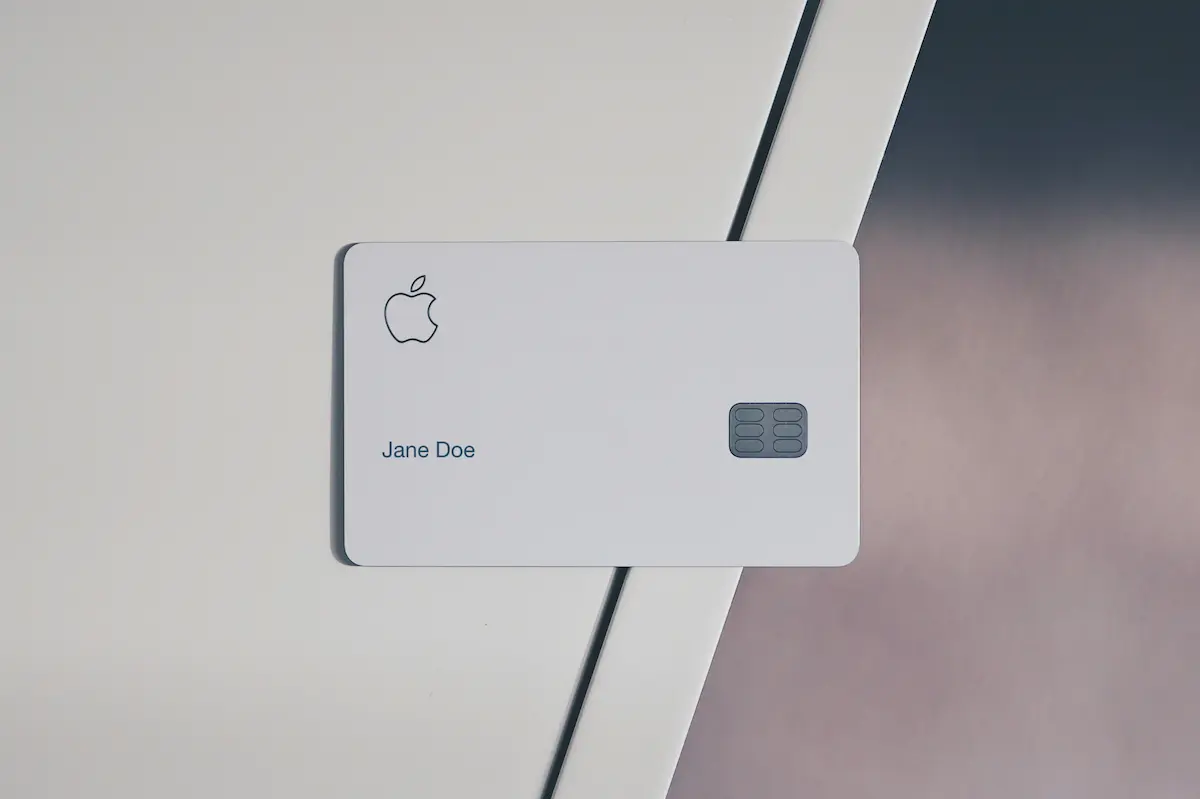
If you carry an Apple Card, there's a good chance you're earning less cash back than you think, and it has nothing to do with where you shop. It comes down to a detail most cardholders never notice: how you pay.
The Same Purchase, Three Different Rates
The Apple Card pays Daily Cash at three different rates depending purely on the payment method, not the merchant, not the purchase category, just how the transaction is processed:
- Tap with your phone (Apple Pay): 2% back
- Swipe or insert the physical titanium card: 1% back
- At Apple and select partner merchants using Apple Pay: 3% back
That means the exact same purchase, at the exact same store, for the exact same dollar amount, can earn half as much simply because you pulled out the physical card instead of tapping your phone.
[[ SINGLE_CARD * {"id": "145", "isExpanded": "false", "bestForCategoryId": "52", "bestForText": "Apple Pay Users", "headerHint" : "Real-Time Transaction Tracking" } ]]

Why This Happens
It's not a bug or a mistake on Apple's part, it's baked into how the card's rewards structure works. The titanium card is a beautifully designed piece of hardware, and a lot of cardholders genuinely enjoy using it. Swiping or inserting the physical card feels more tangible, more "real" than a phone tap.
But that preference comes at a real cost. Every time the physical card is used instead of Apple Pay, the cardholder is quietly earning half of what they otherwise would.

The Fix Is a Single Habit
There's no complicated strategy here, just one change: set your phone as the default payment method wherever Apple Pay is accepted, and save the physical titanium card for situations where tap-to-pay genuinely isn't an option (some older card terminals, certain international merchants, ATM withdrawals, etc.).
Concretely, that means:
- Add your Apple Card to Apple Wallet if you haven't already.
- At checkout, default to tapping your phone or Apple Watch rather than reaching for the card.
- Reserve the physical card for the shrinking number of merchants that don't yet support contactless payment.
Where You Can Earn the Highest Rate
Beyond the standard 2% Apple Pay rate, Apple Card cardholders can earn 3% back at Apple directly (the App Store, apple.com, Apple retail stores) and at a rotating list of select partner merchants when paying with Apple Pay. That partner list has included merchants like Nike, Uber, Walgreens, T-Mobile, and Exxon/Mobil in the past, though it's worth checking Apple's current terms directly, since partner lists and rates can change.
Why This Matters More Than It Seems
A one-percentage-point gap sounds small in isolation. But it compounds across every purchase made with the wrong payment method, month after month, year after year. Over a year of everyday spending, groceries, gas, dining, and subscriptions, that quiet leak can add up to real money left on the table, the kind of invisible gap that separates cardholders who are actively optimizing their cards from those who are just carrying them.
How Kudos Can Help You Catch Gaps Like This
Tap-versus-swipe rate differences are exactly the kind of thing that's easy to miss on your own, and exactly the kind of thing Kudos is built to catch.
- See your actual earning rate, not just the advertised one. Kudos tracks the benefits and rewards structures across all your cards, so you can understand where a card is quietly underperforming based on how you're using it.
- Get reminders on best practices per card. Rather than needing to memorize every payment-method nuance across every card in your wallet, Kudos surfaces the details that matter, so you know when to tap, when to swipe, and when a different card in your wallet would earn more.
- Track partner merchant bonuses automatically. Since rotating partner categories (like the Apple Card's 3% partners) can change, Kudos helps you stay current on where your cards are earning the most right now, not just what used to be true.
- See the full picture across every card you carry. If you're weighing whether to reach for your Apple Card, a different rewards card, or cash, Kudos gives you the comparison in one place, so the decision takes seconds, not a mental spreadsheet.

The Bottom Line
The Apple Card doesn't punish you for using the physical titanium card; it simply rewards a specific payment method more than others, and that distinction is easy to miss if you're not paying attention. The fix costs nothing and takes no more effort than a habit change: default to tapping your phone, and let the physical card be the backup rather than the default.
Small payment-method choices compound just like everything else in personal finance. Get in the habit of tapping, and let the extra percentage point work for you instead of quietly disappearing.
Unlock your extra benefits when you become a Kudos member



Turn your online shopping into even more rewards


Join over 500,000 members simplifying their finances



Editorial Disclosure: Opinions expressed here are those of Kudos alone, not those of any bank, credit card issuer, hotel, airline, or other entity. This content has not been reviewed, approved or otherwise endorsed by any of the entities included within the post.



.webp)


.webp)