





Kudos has partnered with CardRatings and Red Ventures for our coverage of credit card products. Kudos, CardRatings, and Red Ventures may receive a commission from card issuers. Kudos may receive commission from card issuers. Some of the card offers that appear on Kudos are from advertisers and may impact how and where card products appear on the site. Kudos tries to include as many card companies and offers as we are aware of, including offers from issuers that don't pay us, but we may not cover all card companies or all available card offers. You don't have to use our links, but we're grateful when you do!

How to Pay a PayPal Invoice With a Credit Card in 2026
July 1, 2025


The short answer: Yes, you can pay a PayPal invoice with a credit card — and you don't even need a PayPal account to do it. PayPal supports guest checkout, which lets you enter your card details directly on the payment page without creating or logging into an account.
That said, there are a few things worth understanding before you pay: how fees actually work, what buyer protection applies when you pay by card versus through a PayPal account, and how to avoid the most common mistakes people make with PayPal invoices.
What's New in 2026: PayPal's Current Fee Structure
PayPal updated its fee structure in recent years and the current rates matter for both buyers and sellers. Understanding them helps you know what's actually happening when you pay an invoice.
Who pays the fees: PayPal deducts transaction fees from the amount the seller receives — not from the buyer's card. If you pay a $100 invoice with your credit card, your card is charged $100. The seller receives less than $100 after PayPal's fee is deducted.
Current invoice fee rates (as of 2026):
- Credit or debit card payment: approximately 2.99% + $0.49 per transaction (deducted from seller)
- PayPal balance, Venmo, or bank account payment: approximately 3.49% + $0.49 per transaction (deducted from seller)
- International transactions: an additional 1.5% cross-border surcharge applies on top of the base rate
What this means for you as a buyer: Paying by credit card actually costs the seller slightly less in fees than if you paid via PayPal balance or checkout. However, some sellers inflate their invoice total to account for processing costs — so you may see a higher amount than expected on an invoice that specifies credit card payment.

Should You Pay a PayPal Invoice With a Credit Card?
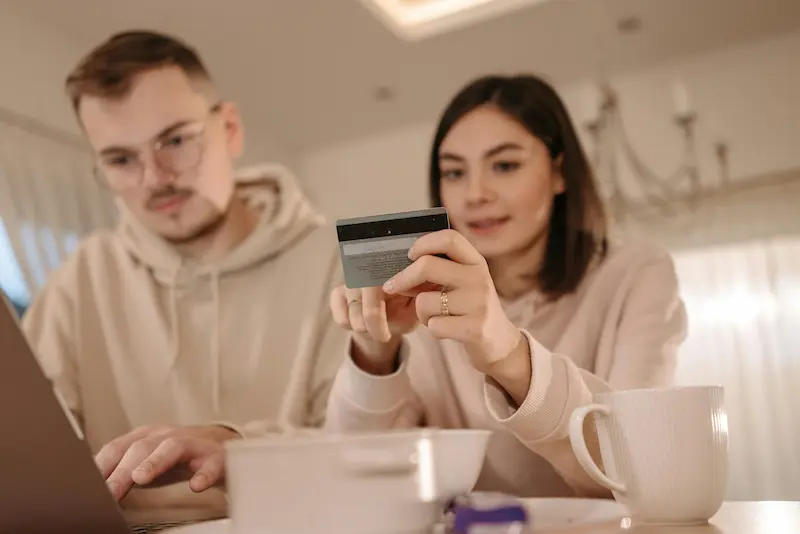
For most buyers, paying a PayPal invoice with a credit card is a safe, sensible choice. Here's how the benefits and considerations break down.
Reasons to pay with a credit card:
- Earn rewards. You accumulate cash back, points, or miles on the transaction — something a bank account payment won't give you.
- Chargeback protection. If the goods or services aren't delivered as promised, your credit card issuer gives you the right to dispute the charge — a meaningful backstop that applies regardless of PayPal's own resolution process.
- Deferred payment. Your card isn't debited immediately. The charge appears on your statement and isn't due until your billing cycle closes, giving you days or weeks before the payment clears your bank.
- Purchase protection and extended warranty. Many credit cards include purchase protection covering theft or damage and extended warranty coverage on eligible purchases.
- No PayPal account needed. You can pay entirely as a guest using just your card details.
Things to be aware of:
- PayPal Purchase Protection may not apply. PayPal's own buyer protection covers payment methods used within a PayPal Wallet — meaning you're logged into a PayPal account and paying through it. If you pay as a guest using a credit card entered directly at checkout, PayPal's Purchase Protection may not apply to your transaction. Your credit card's own dispute protections still apply, but it's worth knowing the difference.
- Carrying a balance negates the value. If you don't pay your credit card balance in full, interest charges will quickly exceed any rewards earned on the payment.
- Sellers may pass fees through. While PayPal charges fees to the seller, some sellers build this cost into the invoice total. Review the invoice amount carefully before paying.

Goods & Services vs. Friends & Family — Why It Matters
Before paying any PayPal invoice, confirm that the payment is being processed as a Goods & Services transaction, not as a Friends & Family payment.
Goods & Services is PayPal's protected payment type for business transactions. It entitles eligible buyers to PayPal's dispute resolution process if something goes wrong. This is the correct type for any invoice involving actual goods, services, or freelance work.
Friends & Family is designed for personal payments between people who know each other — splitting a dinner bill, repaying a loan, sending a gift. Friends & Family payments carry no buyer or seller protection. If a seller asks you to pay an invoice using the Friends & Family option "to save on fees," this is a significant red flag — you would have no recourse through PayPal if the transaction goes wrong, and you'd still have limited options through your credit card since the payment wasn't for a commercial transaction.
A legitimate PayPal invoice will always route through Goods & Services automatically. You should never manually change this to Friends & Family to complete an invoice payment.
Step-by-Step: How to Pay a PayPal Invoice With a Credit Card

The process is straightforward and takes under three minutes.
Step 1 — Open the invoice email. PayPal sends invoices by email. Open the email from the sender and review the invoice carefully: the sender's name and email address, the amount due, a description of the goods or services, and the due date. Verify all details before proceeding. If anything looks unfamiliar or suspicious, do not click Pay Now — contact the sender directly through a separate channel to confirm.
Step 2 — Click Pay Now. The invoice email contains a Pay Now button that takes you to PayPal's secure payment page. You'll see the invoice amount and the sender's details on this page.
Step 3 — Choose to pay as a guest or log in. If you have a PayPal account, you can log in to pay and benefit from PayPal Purchase Protection. If you don't have an account or prefer not to log in, select the guest checkout option to pay directly with your card.
Step 4 — Enter your card details. Select credit or debit card as your payment method and enter your card number, expiration date, CVV, and billing address. Review the payment amount one final time before confirming.
Step 5 — Confirm payment and save the receipt. After submitting, PayPal will display a payment confirmation page. Save or screenshot this confirmation, and check your email for a payment receipt. The seller will also be notified that the invoice has been paid.
Payment Methods Available When Paying a PayPal Invoice
Beyond credit and debit cards, PayPal's checkout page supports several payment methods depending on your region and setup:
- Credit card (Visa, Mastercard, American Express, Discover) — available as a guest or through a linked PayPal Wallet
- Debit card — same process as credit card
- PayPal balance — if you have funds in your PayPal account
- Linked bank account — direct bank transfer through your PayPal Wallet
- PayPal Credit — a reusable credit line offered through PayPal for eligible buyers, allowing you to pay now and pay off the balance over time
- Venmo — available through PayPal's checkout for eligible transactions
- Apple Pay — available on supported devices through PayPal checkout
Not all payment methods are available in every region or for every transaction. PayPal will display the options available to you at checkout.
Buyer Protection: What's Covered and What Isn't
This is the most important distinction most guides don't explain clearly.
If you pay through a PayPal Wallet (logged in): Eligible transactions are covered by PayPal Purchase Protection. If an item doesn't arrive or doesn't match its description, you can open a dispute through PayPal's Resolution Center and may be eligible for a refund.
If you pay as a guest using a credit card: Your payment is not routed through a PayPal Wallet, which means PayPal Purchase Protection may not apply to your transaction. However, your credit card's own buyer protections — including the ability to dispute a charge with your card issuer — still apply and are generally strong. If goods or services aren't delivered, contact your card issuer to file a dispute.
If you pay via Friends & Family (which you should never do for an invoice): No PayPal Purchase Protection, and your chargeback rights may be limited since F&F payments are categorized as personal transfers rather than commercial transactions.
For maximum protection on a significant purchase, log in to your PayPal account and pay through your Wallet so both PayPal's protections and your card's protections apply.

Impact on Your Credit Score
Paying a PayPal invoice with a credit card has a few indirect effects on your credit worth understanding.
Credit utilization: Adding the invoice amount to your credit card balance increases your utilization rate — the percentage of your available credit that's in use. Credit utilization is one of the most significant factors in your credit score. Paying off the balance promptly returns your utilization to normal. For large invoices relative to your credit limit, this effect can be more pronounced.
Payment history: Paying your credit card bill on time after making this purchase contributes positively to your payment history — the single most important factor in your credit score. The key is ensuring you pay your credit card balance, not just the minimum payment.
Hard inquiries: Paying a PayPal invoice itself does not trigger a credit inquiry. If you open a new credit card specifically to make this payment, the card application will result in a hard pull — a small, temporary dip in your score that typically resolves within a few months.
How to Spot a Fake PayPal Invoice
PayPal invoice fraud is common enough that it warrants a direct mention. Fraudulent invoices often look identical to legitimate ones and arrive by email claiming you owe money for something you didn't purchase.
Before paying any invoice, verify these things:
- You recognize the sender. The sender's name and email should match someone you've actually hired or bought from recently.
- The goods or services match something real. The description should correspond to an actual transaction you initiated.
- The amount is what you agreed to. Any invoice for an unexpected amount — even if the sender is familiar — deserves a verification call before payment.
- The email came from a legitimate PayPal address. PayPal invoice notifications come from paypal.com addresses. Hover over the sender's email address to verify the actual domain before clicking any link.
If you receive an invoice you don't recognize, do not click any links in the email. Go directly to paypal.com by typing the address in your browser, log in, and check whether the invoice appears in your account. If it doesn't, the email is likely a phishing attempt. Report it to phishing@paypal.com.
Frequently Asked Questions
Do I need a PayPal account to pay a PayPal invoice with a credit card?
No. PayPal supports guest checkout, which lets you pay an invoice by entering your credit card details directly without creating or logging into a PayPal account. Guest payments may not be covered by PayPal Purchase Protection, but your card's own buyer protections still apply.
Are there fees for the buyer when paying a PayPal invoice with a credit card?
PayPal deducts transaction fees from the seller's received amount, not from the buyer's payment. If you pay $100, your card is charged $100. However, some sellers incorporate the processing fee into the invoice total, which may result in a higher invoice amount than the underlying cost of goods or services. Always review the invoice description before paying.
Is it safe to enter my credit card details on a PayPal payment page?
Yes, when the payment page is legitimately hosted by PayPal. PayPal uses industry-standard encryption to protect your card details during transmission, and the seller never sees your full card number. Before entering any payment details, verify the URL is paypal.com and that the page is secured with HTTPS.
What if I paid an invoice but the goods or services were never delivered?
If you paid through a logged-in PayPal account, file a dispute through PayPal's Resolution Center. If you paid as a guest with a credit card, contact your card issuer to dispute the charge. In either case, act promptly — both PayPal's dispute window and your card's chargeback window have time limits.
Can I pay a PayPal invoice in installments?
If you have access to PayPal Credit, you may be able to use it to pay the invoice and then repay the balance over time. PayPal Credit functions as a separate revolving credit line. Alternatively, Pay Later options may be available at checkout depending on the transaction and your eligibility. Standard credit card payments are charged in full at the time of payment.
What happens if my credit card payment for a PayPal invoice fails?
A failed payment typically means your card was declined — either due to insufficient credit, a mismatch in billing information, or your card issuer flagging the transaction. PayPal will notify you of the failure. Try re-entering your card details carefully or use a different payment method. If the card is being consistently declined, contact your card issuer.
Can a seller request payment via Friends & Family for an invoice?
Legitimate sellers do not ask buyers to pay invoices via Friends & Family. F&F is a personal payment type with no buyer protection. If a seller asks you to use this method "to avoid fees," treat it as a significant red flag. Use only Goods & Services payments for any commercial transaction.
Can I pay a PayPal invoice with American Express?
Yes. PayPal accepts all major credit card networks — Visa, Mastercard, American Express, and Discover — for invoice payments, both through guest checkout and linked PayPal Wallets.
The Bottom Line
Paying a PayPal invoice with a credit card is simple, secure, and potentially rewarding. The process works whether or not you have a PayPal account, takes under three minutes, and earns you rewards on a payment you were making anyway.
The two things most worth remembering: always verify an invoice before paying — PayPal invoice fraud is real and the emails look convincing — and log in to your PayPal account when paying larger amounts so both PayPal Purchase Protection and your card's buyer protections apply simultaneously. For everyday invoices from freelancers, contractors, or small businesses you trust, guest checkout with a rewards card is a perfectly sound approach.
Unlock your extra benefits when you become a Kudos member



Turn your online shopping into even more rewards


Join over 400,000 members simplifying their finances



Editorial Disclosure: Opinions expressed here are those of Kudos alone, not those of any bank, credit card issuer, hotel, airline, or other entity. This content has not been reviewed, approved or otherwise endorsed by any of the entities included within the post.

.webp)